
 BDT
BDT

In the digital age, businesses of all sizes and industries are increasingly recognizing the importance of moving online. From small start-ups to established enterprises, having an online presence can be the key to success. If you’re still running your business offline or have not yet fully embraced the digital world, now is the time to make the leap. Not only can a website serve as a powerful marketing tool, but it also opens up new opportunities for growth, customer engagement, and revenue generation.
Let us give you the step-by-step guide to move your business Online
In this article, we’ll explore the reasons why businesses should move online, the possibilities that come with having a website, and how you can easily get started building your own site. Additionally, we’ll take a look at the pros and cons of free website-building options and provide insight into how Onecodesoft can help you take your online presence to the next level.
The Importance of Moving Your Business Online
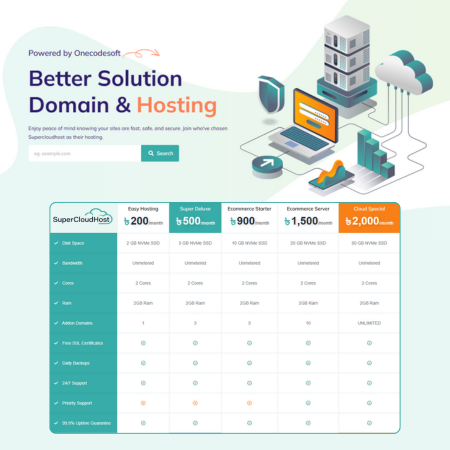
1. Reach a Larger Audience
The most obvious benefit of having a website is that it allows your business to reach a global audience. Unlike a physical store that limits you to local customers, a website enables you to attract visitors from all over the world. With the power of SEO, social media marketing, and digital advertising, you can increase your visibility and grow your customer base exponentially.
2. 24/7 Availability
A website operates around the clock, meaning your business is always open, even when you’re not. This is particularly important for e-commerce businesses, as customers can browse your products, place orders, and make purchases at any time of the day or night. The convenience of 24/7 availability helps build trust and encourages customers to engage with your brand whenever they need it.
3. Cost-Effective and Scalable Marketing
Marketing through traditional methods like TV, radio, or print can be expensive and have limited reach. On the other hand, online marketing tools like SEO, email marketing, and social media advertising are relatively affordable and allow you to target specific audiences. Additionally, you can track performance, analyze results, and adjust campaigns to optimize ROI, which is something you cannot do with traditional marketing.
4. Sell Everything, Anytime
With a website, you can sell virtually any product or service—be it physical items, digital products, or subscription services. An online store allows customers to shop easily from the comfort of their homes, and you can use secure payment gateways to process payments efficiently.
5. Establish Your Brand’s Credibility
Having a professional website builds credibility for your business. Customers are more likely to trust a business with a clean, well-designed, and informative website compared to a business that has no online presence or relies solely on social media pages. A website allows you to showcase your products, provide customer reviews, share your business story, and build stronger relationships with your audience.
The Difference Between Having a Website and Not Having One
| Business With Website | Business Without Website |
|---|---|
| Reach global customers 24/7 | Limited to local customers and store hours |
| Cost-effective marketing with measurable results | Limited marketing reach and difficult to measure ROI |
| Can sell products and services online | Limited to physical sales and in-person transactions |
| Professional and credible brand presence | Less professional and possibly less trustworthy |
| Access to tools for growth (SEO, digital ads, analytics) | Limited tools for tracking performance or growing the business |
| Ability to scale and expand | Difficulty in scaling or reaching a wider audience |
How to Build a Website for Your Business
Building a website for your business has become easier than ever, even for those without extensive technical knowledge. Here’s a simple guide to get you started:
1. Choose a Website Builder or CMS
If you’re not a developer, the easiest way to build a website is by using a Content Management System (CMS) or a website builder. Some popular options include:
-
WordPress: Great for blogs, small businesses, and online stores.
-
Wix: A drag-and-drop website builder ideal for beginners.
-
Shopify: A fully managed e-commerce platform for those looking to sell products online.
-
Squarespace: An easy-to-use website builder with beautiful templates.
2. Pick a Domain Name
Your domain name is your website’s address (e.g., https://www.yourbusinessname.com/). Choose a domain name that is simple, memorable, and reflects your business. Many website builders offer domain registration as part of their service.
3. Select a Template or Design Your Website
Once you’ve chosen your platform, select a template that suits your business. Most website builders offer a wide range of templates that are responsive and customizable. Make sure your design is user-friendly and aligned with your brand’s identity.
4. Add Your Content
Start adding content to your website, including:
-
Homepage: Introduce your business and what you offer.
-
About Us Page: Tell your story and explain why your business matters.
-
Products/Services: Showcase what you sell with detailed descriptions and high-quality images.
-
Contact Page: Provide ways for customers to reach out to you.
5. Optimize for SEO
Ensure your website is optimized for search engines so that potential customers can find you online. This includes using the right keywords, adding meta tags, and making sure your site is mobile-friendly.
6. Launch Your Website
Once you’re satisfied with the design and content, it’s time to launch your site! Promote your website through social media, email newsletters, and digital ads to attract traffic and start converting visitors into customers.
A Word of Caution: Free Website Builders vs. Professional Help
While many website builders offer free plans, these options often come with limitations, such as limited features, less flexibility, and ads on your site. More importantly, building a website on your own can be time-consuming and challenging, especially if you lack design or technical skills. Free tools may provide templates, but they don’t offer the level of customization, security, and scalability that a professional website can provide.
If you’re serious about your business’s online presence, it’s often worth investing in expert help. A website should be more than just a digital brochure; it should align with your business goals and contribute to your success. A professional web development company can provide tailored solutions that enhance your website’s performance, user experience, and SEO.
How Onecodesoft Can Help You Build a Powerful Website
At Onecodesoft, we don’t just build what you ask for—we dive deep into your vision, understand your goals, and analyse the market to craft what’s truly best for you. Every project we take on is guided by strategy, innovation, and results. Onecodesoft isn’t just a service provider; it’s your gateway to standing tall in the digital world.
Whether you're looking to launch an e-commerce store or a custom website for your business, we’ve got you covered. With our expertise in Laravel development, we can create a solution that fits your needs and helps you grow online.
Our Ready-Made Laravel E-commerce Solutions
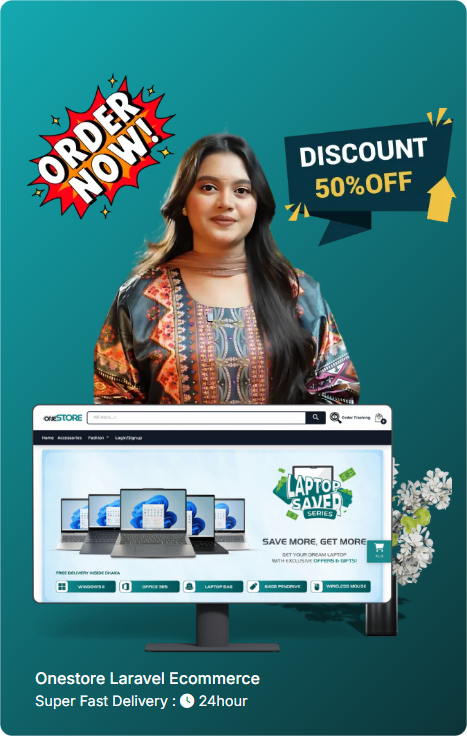
If you’re looking for a reliable, scalable e-commerce solution, check out our ready-made Laravel e-commerce platforms:
Conclusion
Moving your business online is no longer optional; it’s essential for growth and success in the digital world. A website allows you to reach a global audience, sell products 24/7, and establish your brand’s credibility. While building a website on your own is possible, it can be time-consuming and complicated. If you want to ensure that your website is a true reflection of your business vision and goals, it's wise to seek professional help. Onecodesoft can guide you through the process, offering innovative and strategic solutions tailored to your business needs. Let us help you create a powerful online presence and drive your business to new heights.






 Cart
Cart  Shop
Shop Home
Home User
User Menu
Menu Call
Call Facebook
 Live Chat
 Whatsapp
 Ticket
0 Comments